7 Copilot Studio Mistakes That Cause Production Failures
Diagnose seven Copilot Studio production readiness gaps with practical fixes, failure examples, verification evidence, a test matrix, and an operational release checklist.
- Published
- Reading time
- 10 min read
Quick answer
Prevent Copilot Studio production failures by checking seven boundaries: knowledge quality, permissions, authentication, action reliability, error handling, governance, and monitoring. Use representative accounts in the real channel, verify the destination result of each important action, exercise failure paths, and assign owners for release acceptance and operational response.
Before you start
Is this guide for you?
- Best entry point
- Microsoft Copilot Studio
- Time investment
- 10 min read
- Prerequisite knowledge
- A supported Copilot Studio agent scenario, its intended audience and channel, and access to authorized test systems and operational evidence.
What you’ll learn
- Treat the seven mistakes as a practical diagnostic checklist, not a measured ranking.
- Test the effective identity and permissions of ordinary and denied users.
- Verify business outcomes rather than relying on a successful-looking conversation.
- Handle uncertain writes carefully and provide accurate recovery guidance.
- Keep releases traceable and assign owners to monitoring and incident response.
Before you start
- Prerequisite knowledge
- A supported Copilot Studio agent scenario, its intended audience and channel, and access to authorized test systems and operational evidence.
On this page (11 sections)
Copilot Studio production failures often appear when an agent meets a different user, a protected document, an unavailable API, or a channel that was never tested. A good demonstration shows that one path can work. A production service needs evidence that its supported paths work for the intended audience and that failures are handled honestly.
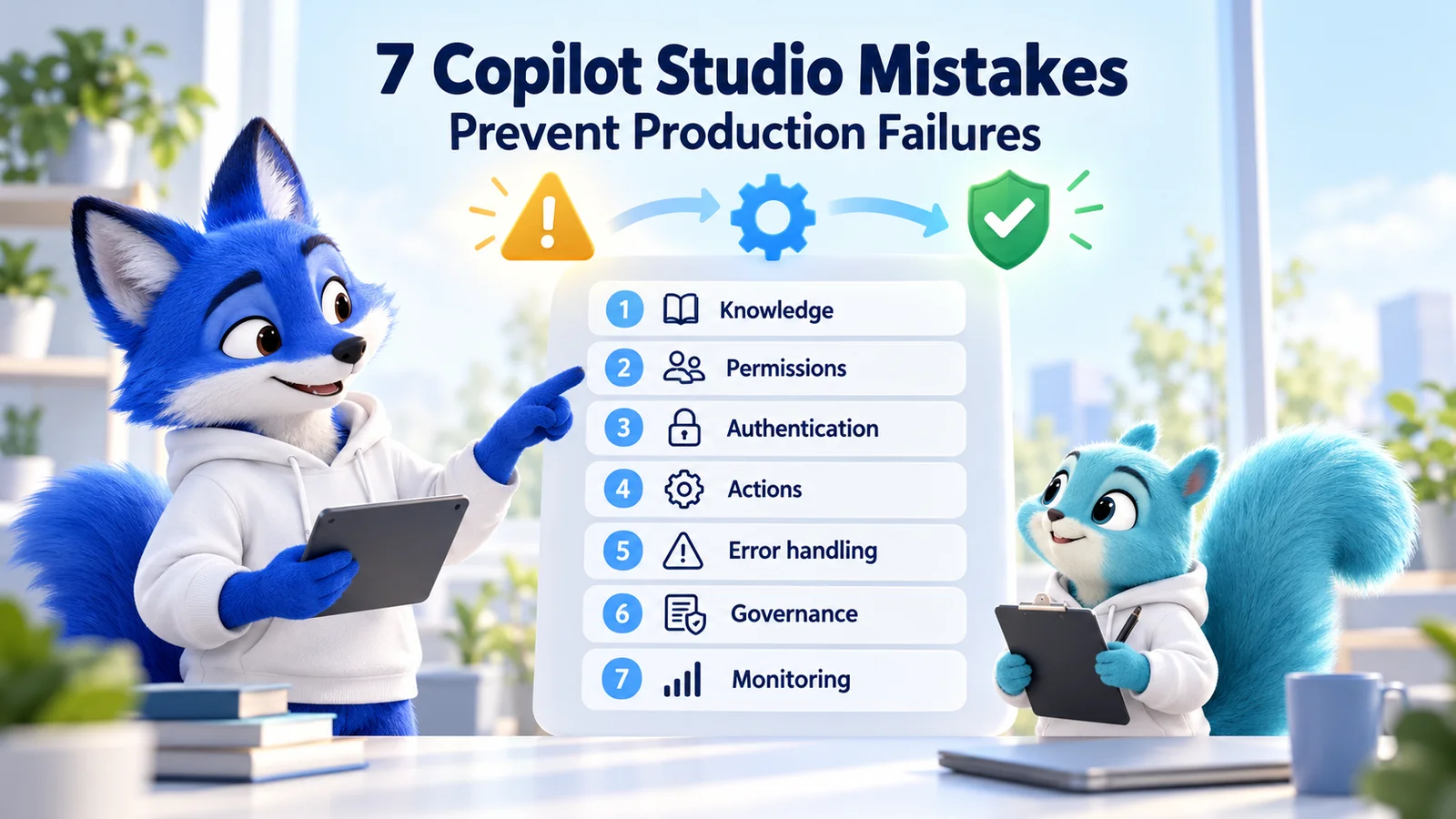
This guide expands the source PDF into seven practical mistakes to investigate before and after launch: poor knowledge quality, incorrect permissions, incomplete authentication, unreliable actions, missing error handling, weak governance, and absent monitoring. These are useful diagnostic categories, not a statistical ranking or a claim that every incident has one cause.
Quick answer: validate the information, identity, authorization, action result, failure path, policy boundary, and operational owner for each important user journey. Test through the real channel with representative accounts, verify the downstream result, and retain evidence for the release you deploy.
The hero and examples are conceptual teaching material. Microsoft references were checked on 17 October 2026. Apply the guidance to the capabilities and agent experience in your tenant; the cited standard-harness configuration pages have their own scope and supported behavior.
The Seven Mistakes: Symptoms, Fixes, and Evidence
| Mistake | Production symptom | First useful check | Evidence of repair |
|---|---|---|---|
| Poor knowledge quality | Outdated, incomplete, or contradictory answers. | The authoritative source and the retrieved evidence. | Representative questions produce current, supported answers. |
| Incorrect permissions | Authorized users are blocked or protected content is exposed. | The actual identity and resource authorization. | Allowed and denied account tests match the access model. |
| Authentication not ready | Sign-in or connection failures outside the maker's session. | The target channel's authentication configuration. | Fresh user sessions follow the supported sign-in path. |
| Unreliable actions | The agent reports success but the business operation fails. | Inputs, execution outcome, and destination record. | The intended operation completes once and correctly. |
| No error handling | Users receive vague messages or retry uncertain writes. | The failed dependency and recovery branch. | Users receive an accurate status and a safe next step. |
| Weak governance | Unexpected connectors, audiences, or changes reach production. | Policies, ownership, and the release record. | Approved boundaries and promotion checks are enforced. |
| No monitoring | Users discover recurring faults before the support team does. | Available signals and the person responsible for acting. | A controlled failure reaches the operational response process. |
1. Poor Knowledge Quality Produces Unreliable Answers
An agent cannot reliably resolve conflicting policies simply because more documents were added. Old versions, duplicated guidance, missing context, and poorly maintained source material can make a response sound plausible while pointing a user toward the wrong decision.
Start with a source register: the information owner, intended audience, authoritative location, review date, and questions the material should answer. Remove superseded copies through the content owner's process. Keep exceptions and effective dates clear inside the source.
Illustrative failure: an employee asks about a travel allowance and receives a figure from an old policy. The response looks polished, but the cited document no longer governs the process. Correct the source and verify retrieval before rewriting the agent's instructions.
Use Microsoft's knowledge testing guidance to investigate readiness, configuration, and source problems. Check what the affected user can retrieve, not just what the maker can open.
Verification: run a small question set covering current rules, exceptions, missing information, and ambiguous requests. Review factual support and citations where available. When the source does not establish an answer, the accepted behavior should avoid inventing a confident policy.
2. Incorrect Permissions Break Access Boundaries
Signing in and being allowed to read a particular resource are different questions. A user may enter the agent successfully but lack access to a document, list, database operation, or API endpoint. Conversely, a broadly privileged tool identity can expose more information than the business intended.
Map each protected operation to its effective identity and authorization model. Identify whether the integration acts for the user or through another approved identity. Do not assume every connector enforces the same user-specific access behavior.
Illustrative failure: a maker answers a finance question successfully, but an ordinary employee cannot. Inspect the employee's actual access and the integration context. Grant only approved access; widening the entire library to reproduce the maker's result may create a second problem.
Test an authorized user, a user with partial access, and a person who should be denied. For each account, check both the conversation and any returned resource. Confirm that a restricted record does not appear in an answer or tool result.
Verification: preserve the expected access decision and the observed result for each representative role. Repeat the checks after changing sharing, connection identity, knowledge sources, or the agent's audience.
3. Authentication Works Only in the Developer's Session
A cached maker session can hide the sign-in experience that new users encounter. A deployed channel may also use different authentication requirements from the authoring test pane. Treat sign-in, consent, and connection establishment as part of the supported journey.
Review the current authentication configuration guidance for the intended channel and agent experience. Publish authentication changes as required, then use fresh sessions to verify their effect.
Illustrative failure: a published support agent answers general questions but fails when a new user requests a protected resource. Investigate the actual sign-in state, selected authentication mode, required consent, connection, and destination authorization before changing the tool's logic.
Include sign-in cancellation and an expired or invalid connection in the test plan where applicable. Verify that users receive a clear route to reconnect or seek help. Do not replace required user authentication with broad application access merely to remove a prompt.
Verification: record a successful fresh-session path and an expected failure path through the actual channel. Keep credentials and tokens out of screenshots, chat messages, and general support records.
4. Agent Actions Are Not Verified End to End
A tool can be selected correctly while receiving incomplete input, calling the wrong destination, or returning a result the agent misinterprets. A friendly acknowledgement does not prove a ticket, approval, payment request, or record update exists.
Define the tool contract: required inputs, permitted operations, expected output, failure outcomes, and any confirmation or approval needed. Validate values at the appropriate system boundary. Keep tool descriptions clear enough to distinguish similar operations.
Review the implementation checklist and connection guidance when checking integrations. Confirm the resolved service and identity, not just the connection's display name.
Illustrative failure: an agent says a service request was created, but the flow returned a validation error. The fix includes both the input problem and the response logic that incorrectly announced success.
Verification: inspect the destination record and relevant execution evidence. Test missing fields, rejected values, dependency failures, and repeated submissions. For write operations, use the destination's supported duplicate-prevention or reconciliation approach rather than assuming a retry is harmless.
5. Missing Error Handling Leaves Users Unsure What Happened
Errors need different responses. An ambiguous question may require clarification; a denied operation requires an access-aware explanation; an unavailable service requires a recovery path. A generic apology cannot tell a user whether a transaction completed.
Use the error-handling guidance to design messages that explain the supported next step. Diagnose the real platform response with the error reference rather than treating every failure as the same condition.
Illustrative failure: a create-record request times out after the external service accepted it. An automatic second submission could create a duplicate. The user needs an accurate statement that the outcome is unconfirmed, while support or a supported status check resolves it.
Keep technical detail in an access-controlled diagnostic record. Show a safe reference identifier when the support process can use it, but do not disclose tokens, sensitive payloads, or internal stack traces to the user.
Verification: deliberately exercise a supported failure scenario in a test system. Confirm the message, escalation route, and recovery behavior. Check that the agent does not claim completion when the evidence only establishes an attempted action.
6. Security and Governance Are Added After Launch
Production ownership includes more than the prompt. Someone must approve the audience, integrations, data use, release process, and operational responsibilities. Without those decisions, a useful pilot can grow into a service whose dependencies and permissions nobody can explain.
Review data policies against the actual knowledge, connector, and channel requirements. A policy difference between environments should be resolved through the approved design and administration process.
Use the ALM guidance to maintain a controlled release path. Keep development changes, the tested artifact, target configuration, and production acceptance traceable. Review setup that must be completed in the target environment.
Illustrative failure: an emergency edit fixes production but never reaches development. The next deployment overwrites it. Record and reconcile the correction through the normal source and test process.
Verification: a reviewer can identify the live release, its approved scope, the responsible owners, and the controls applicable to its dependencies. Accepted exceptions should have an accountable owner and review date.
7. No Monitoring Means Failures Continue Unnoticed
Deployment starts operational learning. Changes in user questions, source content, permissions, service availability, or traffic can reveal problems that were absent during acceptance testing. Monitoring should lead to an action someone owns.
Use operational monitoring guidance to plan usage review, diagnostic evidence, capacity ownership, and incident response. Choose signals that match the business process, including failed tools, unresolved journeys, and user feedback.
Illustrative failure: conversations continue normally, but the ticket-creation integration has failed since its connection expired. Conversation volume alone would not reveal that the intended business outcome stopped working.
Define a review cadence and escalation route. Keep transcript and telemetry access appropriate to the data involved. Collect enough context to investigate without putting private conversation content into broad alerts.
Verification: a controlled test failure reaches the responsible team through the approved process. The owner can connect the signal to the affected release and operation, investigate it, and confirm that the repair restored the outcome.
A Practical Production-Readiness Test Matrix
Start with the most important supported journeys and add cases as incidents and new capabilities appear. Microsoft's testing strategy provides the broader test categories. The following matrix is an illustrative starting point, not a universal certification standard.
| Scenario | Expected evidence | Typical reviewer |
|---|---|---|
| Current policy question | Accurate answer supported by approved content. | Knowledge owner. |
| Restricted question from an unrelated user | No unauthorized disclosure or operation. | Resource and identity owners. |
| Fresh channel session | Supported sign-in and connection flow succeeds. | Channel owner and tester. |
| Create or update operation | Correct destination, fields, identity, and confirmed result. | Integration owner. |
| Unavailable dependency | Accurate status, safe next step, and diagnostic evidence. | Support owner. |
| Approved release promotion | Traceable artifact, configuration, and acceptance. | Release owner. |
| Operational failure signal | Responsible team receives and investigates it. | Operations owner. |
Do not mark a test passed merely because a response contains the expected phrase. Evaluate the protected information, selected action, destination result, and recovery path as appropriate. Generated responses can vary in wording while still meeting a clear factual and behavioral criterion.
How to Investigate a Production Failure
- Record the affected journey, channel, time, user role, and observed impact.
- Identify the deployed release and relevant target configuration.
- Contain unintended writes or disclosures through the approved incident process.
- Inspect available knowledge, authentication, authorization, and tool evidence.
- Reproduce the cause in a controlled test scenario.
- Repair it, rerun relevant regression cases, and deploy through the approved path.
- Verify fresh production sessions and reconcile completed business operations separately.
Preserve useful identifiers and sanitized error details. Avoid putting full transcripts, private documents, or credentials into general issue descriptions. Escalate service-wide or unexplained platform faults with the evidence needed by the appropriate support team.
A Release Checklist Your Team Can Use
- Knowledge has an owner, current sources, and representative answer checks.
- Allowed, partially authorized, and denied users have been tested.
- Authentication works in fresh sessions through the intended channel.
- Tools reach the right system and report verified business outcomes.
- Failure paths explain status and offer a safe recovery or escalation route.
- Policies, source, artifact, configuration, and approvals are traceable.
- Monitoring, capacity, incident response, and support have accountable owners.
Practical next step: choose one high-impact journey and follow it from the user's first message to the final business outcome. Use these seven checks to locate the weakest boundary, repair it, and add the scenario to your repeatable test set.
For related release guidance, read publishing best practices and dev vs test vs production. Explore the 365 Days of Copilot Studio series for the broader learning path.
Tagged
Knowledge Sources · Security · Integrations · Governance · ALM
Frequently asked questions
Why do Copilot Studio agents work in testing but fail in production?
Production can introduce different users, permissions, connections, source content, channels, and service conditions. Compare the actual deployed release and configuration, reproduce the affected journey with a representative account, and verify both the conversation and its downstream result.
What are the seven mistakes that cause Copilot Studio production failures?
This guide groups common readiness gaps into poor knowledge quality, incorrect permissions, incomplete authentication, unreliable actions, missing error handling, weak governance, and absent monitoring. Use them as diagnostic categories rather than a statistical ranking.
How can I improve unreliable answers from knowledge sources?
Check the authoritative content, effective dates, duplicates, readiness, configuration, and user access. Test representative questions against expected facts and source evidence. Fix the source or retrieval problem before assuming a larger prompt will solve it.
What is the difference between authentication and permissions?
Authentication establishes identity; authorization determines what that identity can access or do. Verify the effective identity of each integration and test allowed and denied users against the actual protected resource.
Why does an agent action fail for users but work for the maker?
Investigate the user sign-in and consent path, connection status, effective identity, downstream authorization, input values, and target configuration. A maker session can have access that an ordinary user does not.
How do I verify that a Copilot Studio action really succeeded?
Check the tool or flow result and confirm the intended change in the destination system. Do not infer success from a friendly acknowledgement alone. Include rejected input, unavailable dependencies, and repeated submissions in the test plan.
Should an agent automatically retry a failed write operation?
Only use retry behavior that is safe for the destination and operation. A timeout can leave the outcome unconfirmed even if the service accepted the write. Use supported status checks, duplicate prevention, or reconciliation before submitting it again.
What should a useful agent error message include?
State the known status accurately and provide a safe next step, such as clarification, reconnection, a supported status check, or escalation. Keep credentials, sensitive payloads, and internal diagnostic detail out of user-facing messages.
What should I monitor after publishing an agent?
Review important journey outcomes, tool failures, unresolved requests, user feedback, service availability, and relevant capacity signals. Assign an operational owner and verify that a controlled failure reaches the approved response process.
What proves a Copilot Studio agent is ready for production?
Use current knowledge checks, representative access and authentication tests, verified action outcomes, exercised failure paths, approved governance and release evidence, and operational ownership. Acceptance should apply to the actual candidate and configuration, not just a successful demonstration.
Sources
- Test knowledge sources, Microsoft, accessed 2026-10-17
- Configure user authentication, Microsoft, accessed 2026-10-17
- Configure and manage connections, Microsoft, accessed 2026-10-17
- Review the implementation checklist, Microsoft, accessed 2026-10-17
- Handle errors effectively, Microsoft, accessed 2026-10-17
- Understand error codes, Microsoft, accessed 2026-10-17
- Configure data policies for agents, Microsoft, accessed 2026-10-17
- Establish an ALM strategy, Microsoft, accessed 2026-10-17
- Design a testing strategy, Microsoft, accessed 2026-10-17
- Monitor operations, compliance, and capacity, Microsoft, accessed 2026-10-17
Have a Microsoft 365 topic idea?
Share article suggestions, community session ideas, corrections, or real-world scenarios for future nxtM365 learning notes.
Keep learning Microsoft 365
Explore more practical guides for SharePoint, Power Platform, Copilot Studio, migration, automation, governance, and security.
Continue learning
Related tutorials
Related questions
Related comparisons
Next action