Managing Multiple Environments in Copilot Studio | Day 83
Manage Copilot Studio development, test, and production environments with clear configuration, secure connections, solution deployments, access controls, and verified release checks.
- Published
- Reading time
- 11 min read
Quick answer
Use separate development, test, and production environments to control how an agent changes and who can use it. Promote supported components through solutions, supply approved environment-specific values and connections, and check access, knowledge, tools, and channels in the target. A separate test environment is not enough if its connections still point to production systems.
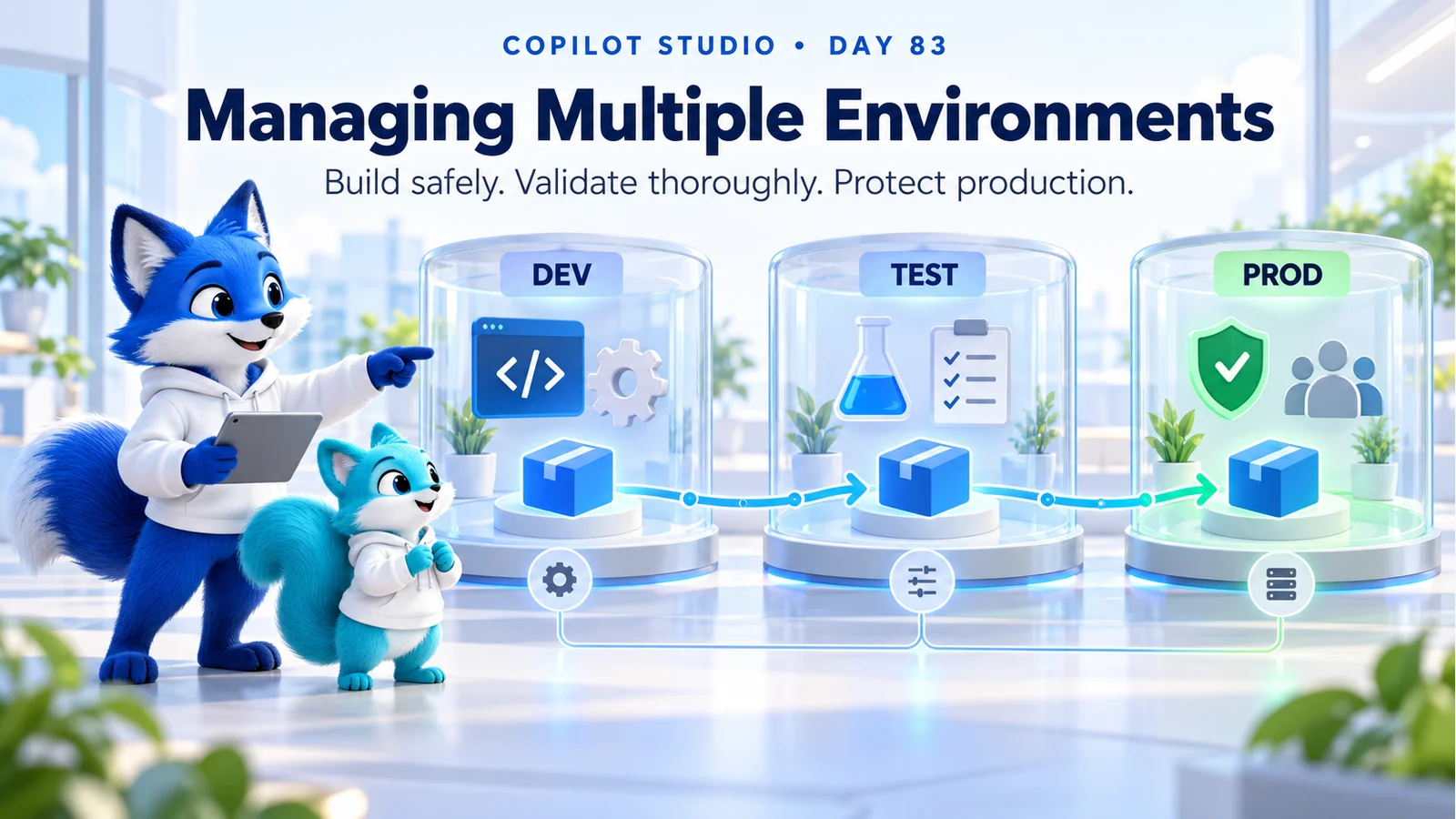
Week 12 · Day 83 of 365 in 365 Days of Copilot Studio — view the full series
Before you start
Is this guide for you?
- Best entry point
- 365 Days of Copilot Studio
- Time investment
- 11 min read
- Prerequisite knowledge
- The release discipline from Day 82, a supported agent scenario, and familiarity with your team’s solution deployment process.
What you’ll learn
- Give every environment a purpose, owner, audience, data policy, and lifecycle.
- Separate the agent definition from configuration and authenticated connections.
- Test environments need safe downstream systems and data as well as a separate container.
- Review settings that require target-environment configuration after solution deployment.
- Verify actual tool outcomes and ordinary-user access before expanding a release.
Before you start
- Prerequisite knowledge
- The release discipline from Day 82, a supported agent scenario, and familiarity with your team’s solution deployment process.
On this page (13 sections)
Day 83 of 365 Days of Copilot Studio explains how to manage Copilot Studio environments across development, testing, and production. The aim is to give makers a safe place to build and users a dependable published experience.
In Day 82: Version Management, we connected releases to their source and validation evidence. Today, we connect those releases to the right configuration, identities, data, and operational controls in each environment.
Quick answer: define the purpose of each environment, deploy supported components through solutions, supply the correct target configuration, and test the actual user journey. A test label does not make a production connection safe.
This lesson expands the Day 83 PDF into a practical environment plan, configuration matrix, deployment walkthrough, troubleshooting table, and release checklist. The hero and HR example are conceptual teaching material. Technical references were checked on 17 October 2026; the cited solution and variable behavior applies to the standard-harness experience where specified.
1. What Is a Copilot Studio Environment?
An agent is created and managed within a Power Platform environment. That environment provides a place for related resources and a context for access, policies, and lifecycle management. It is more than a label attached to an agent.
Microsoft’s environment guidance explains switching between environments and recommends a non-default production environment for production agents. Select the intended environment in the switcher before creating or reviewing an agent.
Switching the view does not move an existing agent. Deployment is a separate operation. Record the environment identifier and agent identifier so the team can distinguish similarly named copies.
Environment separation also has limits. If a flow in a test environment uses credentials that can write to a live service, it may still create a production record. Review the external service and its authorization separately.
2. Why Separate Development, Test, and Production?
The three environments serve different purposes. Development supports authoring and early experiments. Test supports repeatable technical and business validation. Production serves the approved audience with controlled changes and operational ownership.
| Environment | Primary purpose | Configuration and data | Release evidence |
|---|---|---|---|
| Development | Build and repair the agent. | Development services, suitable sample data, and maker access. | Focused tests and reviewed source changes. |
| Test | Validate the release before broader use. | Approved test services and representative test identities. | Regression, access, and business-process results. |
| Production | Serve the intended users. | Approved live services, controlled access, and operational monitoring. | Deployment record, channel smoke test, and owner acceptance. |
Microsoft’s ALM guidance recommends development, test, and production separation. Choose the supported environment types and capabilities for your scenario, with the administrator confirming region, licensing, capacity, and governance requirements.
A developer environment or a shared sandbox may suit different development needs. A short-lived trial is not an operational plan for a maintained service. Establish the intended lifecycle before users depend on an agent.
3. Create an Environment Register Before Scaling
Keep a simple register that tells the team which environments exist, why they exist, who owns them, and which agents or solutions they contain. Naming should help people recognize the workload and stage without being the only protection against mistakes.
Illustrative environment register
Workload: Employee Assistance
Environments: EMP-ASSIST-DEV / EMP-ASSIST-TEST / EMP-ASSIST-PROD
Identifiers: actual environment and agent identifiers
Owners: platform owner, solution owner, and support contact
Purpose: authoring / validation / approved employee service
Data: permitted source and destination systems
Controls: maker access, user audience, data policies, and release process
Operations: monitoring, capacity review, recovery, and retirement plan
Record region and approved data handling, but do not treat an environment name as evidence of compliance. Confirm the properties and service behavior that matter to your organization.
If the administrator provisions an environment, verify the actual tenant, type, region, required data services, access group, and ownership. For a missing environment in the switcher, check access and supported provisioning requirements instead of creating another copy immediately.
4. Separate Agent Logic From Environment Configuration
Keep the intended conversation and supported tasks consistent while supplying the correct external references for each stage. Avoid scattering development URLs, list identifiers, or feature settings across instructions and flow actions.
Environment variables provide configuration values consumed by supported components. They are different from topic variables and global conversation variables. Use the supported configuration mechanism for the relevant component rather than assuming every setting can be parameterized identically.
| Configuration | Development | Test | Production |
|---|---|---|---|
| Request endpoint | Development service. | Controlled test service. | Approved live service. |
| Knowledge source | Approved authoring samples. | Representative test content. | Current approved business knowledge. |
| Connection mapping | Development connection. | Approved test connection. | Approved production connection. |
| User audience | Authorized makers. | Named testers and required roles. | Approved employee or customer audience. |
| Monitoring context | Development diagnostics. | Test-run evidence. | Operational telemetry and support ownership. |
Store credentials using the appropriate protected connection or supported secret mechanism. Do not put a live API key in an ordinary text value, source file, or release note.
Publication detail: Microsoft documents that non-secret environment-variable values used by the published agent are captured at publishing time, so changing them requires republishing the affected agent. Secret-type values have a documented runtime retrieval exception. Confirm the behavior for the actual component and agent experience, then verify it in a fresh session.
5. Check Connections and Connection References
A connection supplies authenticated access to a service. A connection reference lets a solution component use an appropriate connection in the target environment. A familiar display name does not prove that the connection points to the right tenant, site, system, or account.
Use Microsoft’s connection management guidance to review connection status and configuration. Investigate expired or stale connections and confirm that the required identity can perform the supported operation.
For an enquiry action, check the entire route: agent input, flow or tool, connection reference where applicable, actual connection, destination service, and result. Verify the resulting test record in the intended system.
Test with representative users as well as the maker. User-specific credentials and configured shared identities create different access assumptions; document the intended model and check both successful and denied operations.
6. Promote Supported Components With Solutions
Make the change in development and package the related components through the supported solution process. Review required topics, flows, environment-variable definitions, connection references, and other dependencies before export.
Microsoft’s export and import guidance describes moving agents through solutions and checking required components. Use the approved managed deployment approach for downstream environments and retain the artifact that passed validation.
Do not recreate the agent manually in every environment as the normal release process. That makes it harder to establish which differences are intentional. Keep configuration differences in a reviewed target matrix and link each deployment to its release record.
When an import fails, inspect the log and actual dependency. A missing component, connection, access rule, or unsupported configuration needs a targeted repair before another attempt.
7. Secure the Environment and the Services It Calls
Separate the permissions needed to administer an environment, build an agent, approve a deployment, chat with an agent, and access downstream business information. One assignment does not automatically establish every other permission.
Microsoft’s security guidance supports controlled access and production release processes. Apply least privilege and review who can change the live environment. Give support staff the access appropriate to their actual duties.
Review the data policies applicable to agents with the platform administrator. Different environments can have different permitted connectors or channels. A blocked capability may be an intended control rather than a technical defect.
Test the actual boundary: an approved employee receives the intended information, while an unrelated account cannot retrieve it. Environment access, agent sharing, source permissions, and tool authorization all need review. Avoid copying confidential production data into development merely to reproduce a test.
8. Automate Promotion With a Reviewed Pipeline
A repeatable deployment process should identify the approved artifact, target configuration, required reviews, deployment result, and validation evidence. Make those steps explicit before automating them.
Power Platform pipelines offer a supported promotion approach. Confirm current setup, environment, licensing, and permission requirements before adopting a topology. Other approved ALM tools may be appropriate for more specialized workflows.
A successful pipeline result establishes that its deployment steps completed. It does not establish that the published agent can retrieve the right knowledge or complete a business transaction for the intended user. Keep those checks in the release procedure.
If the package changes after validation, revalidate the affected behavior. If only target configuration differs, review those differences and test their effect explicitly.
9. Perform the Target-Specific Checks After Deployment
Some operational settings require separate attention in the destination. Microsoft’s ALM reference identifies authentication, web-channel security, deployed channels, sharing, and Application Insights settings among the Copilot Studio considerations outside ordinary solution transfer.
- Confirm the environment and agent identifiers.
- Review imported components and unresolved dependencies.
- Apply approved target values and connection mappings.
- Verify knowledge access, authentication, sharing, and intended channels.
- Check monitoring and the support contact for the destination.
- Publish the approved agent where required and start a fresh channel session.
Follow Day 81: Publishing Best Practices for the channel release checks. Keep the configuration review and live smoke-test evidence with the deployment record.
10. What Should You Test Before Production Use?
Combine a repeatable regression set with target-specific validation. Microsoft’s testing strategy guidance supports testing throughout delivery. Use real acceptance criteria for the intended task.
| Check | Expected evidence |
|---|---|
| Known answer | The response reflects the approved source and relevant user context. |
| Supported action | One controlled request reaches the intended target with the correct values. |
| Missing input | The agent asks for the required detail before attempting the write. |
| Denied access | An unauthorized user receives no restricted information or operation. |
| Service failure | The agent avoids false success and provides the approved recovery route. |
| Published channel | A fresh session demonstrates the approved behavior for an ordinary user. |
Use clearly marked test data and an approved cleanup process. For production smoke tests, decide in advance which operations are safe and who verifies their outcomes.
11. Worked Example: An HR Agent Across Three Environments
An HR team builds an agent that explains approved policy and creates an employee enquiry. Development uses sample knowledge and a development enquiry service. Test uses controlled scenarios and test identities. Production uses approved knowledge and the live enquiry service.
Problem: after deployment into test, a controlled enquiry appears in the development system. The conversation and tool call look successful, but the connection mapping points to the wrong endpoint.
Investigation: the team checks the environment matrix, connection reference, actual connection identity, and resulting record. It also reviews whether the published agent has the current non-secret configuration values.
Repair: the owner supplies the approved test configuration, maps the correct test connection, and republishes when required. The team does not change the production system to make the test pass.
Verification: the controlled request appears once in the test service with the expected fields; an unauthorized identity is denied; a failure path gives a useful response; and previously passing knowledge questions still work. After approval, production promotion receives its own configuration review and published-channel smoke test.
The example illustrates why environment separation needs configuration and outcome evidence. The exact fields, identities, and services must come from the real HR implementation.
12. Troubleshoot Common Environment Problems
| Symptom | Likely area to investigate | Verification |
|---|---|---|
| Environment missing from the switcher | Access, tenant, supported region, and required provisioning. | The authorized maker can select the intended environment. |
| Agent works in development only | Connections, configuration, knowledge access, data policies, and missing components. | The same supported scenario passes in the target. |
| Action writes to the wrong system | Actual endpoint, connection mapping, credentials, and publication state. | A controlled transaction reaches the intended destination only. |
| Imported agent is not ready for users | Authentication, channel setup, sharing, and required publishing. | A fresh published session works for an intended user. |
| Updated configuration appears unchanged | Variable type, published value behavior, and the current session. | The approved value affects the verified runtime outcome. |
| Unexpected connector or channel block | The applicable organizational data policy and supported configuration. | The administrator confirms the intended permitted design. |
13. Operate and Retire Environments Deliberately
Review owners, active agents, connection health, capacity, access, and deployment history on a cadence suited to the workload. Remove obsolete copies through an approved process after confirming that no users, flows, or integrations still depend on them.
Microsoft’s operations guidance covers maintaining the service after delivery. Keep monitoring separated by environment so test traffic does not obscure production outcomes.
Maintain a rehearsed recovery procedure with the required permissions, approved artifacts, configuration records, and validation steps. Recovery options depend on supported environment and solution operations. Restoring agent content does not undo business transactions already completed.
Practice: choose one agent and complete its environment register and configuration matrix. Trace one tool from the agent to the actual downstream destination in development and test. Record the identity and outcome, then define the checks required before production promotion. Use Day 78: Measuring AI Performance to choose meaningful outcome evidence.
Tagged
ALM · Solutions · Security · Governance · Variables
Frequently asked questions
What is an environment in Microsoft Copilot Studio?
It is a Power Platform environment in which agents and related resources are created and managed. Environments support different purposes, access rules, data policies, and lifecycle stages. External services still need their own access and configuration controls.
Do I need separate development, test, and production environments?
Microsoft’s ALM guidance recommends this arrangement for maintained business agents. It lets makers develop, testers validate, and users access an approved production release. Choose the environment types, governance, capacity, and licensing appropriate to your organization.
Does switching the environment move my agent?
No. The switcher changes the environment you are viewing. Use the supported solution deployment process to deliver agent components to another environment, then configure and validate the target.
Why should I avoid the default environment for production agents?
Microsoft’s Copilot Studio environment guidance recommends a non-default production environment for agents intended for production. A dedicated environment makes purpose, ownership, access, and release controls easier to manage.
What is the difference between an environment variable and a connection reference?
An environment variable supplies configurable values consumed by supported components. A connection reference associates a solution component with an appropriate authenticated connection in the target environment. Neither replaces downstream authorization or validates the endpoint automatically.
Do environment-variable changes require republishing?
For the standard-harness behavior documented by Microsoft, published agents include non-secret environment-variable values from publication time, so changes require republishing affected agents. Secret-type variables are retrieved at runtime and have a documented exception. Verify the supported behavior for your agent experience.
Does a separate test environment prevent production writes?
Not by itself. A test agent or flow can still call a production endpoint if its configuration and credentials allow it. Review the actual destination, identity, permissions, data, and side effects of each integration.
Does importing a solution copy every agent setting?
No. Review the included components and dependencies, then check target-specific settings such as authentication, web-channel security, channels, sharing, and monitoring. Publish and validate the target agent through the intended channel.
Why does an agent work in development but fail in test?
Compare connection mappings, endpoint values, user permissions, data policies, knowledge access, included components, and publishing state. Use the failing scenario and tool response to identify the specific difference.
How do I recover from an incorrect environment deployment?
Follow the rehearsed recovery procedure for that environment. Contain affected operations, identify the deployed artifact and configuration, apply an approved correction or supported recovery, republish when needed, and validate fresh sessions. Completed business transactions require separate reconciliation.
Sources
- Work with Power Platform environments in Copilot Studio, Microsoft, accessed 2026-10-17
- Establish an application lifecycle management strategy, Microsoft, accessed 2026-10-17
- Variables overview, Microsoft, accessed 2026-10-17
- Create and manage connections, Microsoft, accessed 2026-10-17
- Export and import agents using solutions, Microsoft, accessed 2026-10-17
- Secure your Copilot Studio projects, Microsoft, accessed 2026-10-17
- Configure data policies for agents, Microsoft, accessed 2026-10-17
- Overview of pipelines in Power Platform, Microsoft, accessed 2026-10-17
- Design a testing strategy for agents, Microsoft, accessed 2026-10-17
- Monitor operations, compliance, and capacity, Microsoft, accessed 2026-10-17
Have a Microsoft 365 topic idea?
Share article suggestions, community session ideas, corrections, or real-world scenarios for future nxtM365 learning notes.
Keep learning Microsoft 365
Explore more practical guides for SharePoint, Power Platform, Copilot Studio, migration, automation, governance, and security.
Continue learning
Related tutorials
Related questions
Related comparisons
Next action