Classic SharePoint Retirement Countdown: 2027 and 2028 Action Plan
Countdown to the classic cutoffs: March 2027 creation block, July 2027 webhook move, October 2028 read-only — with an action plan per audience.
- Published
- Reading time
- 2 min read
Before you start
Is this guide for you?
- Best entry point
- SharePoint
- Time investment
- 2 min read
In this article
- The three dates that matter
- Actions per audience
- Sequence it like a migration
- Quarter-by-quarter plan from here
- Planning modernization before the deadlines
On this page (5 sections)
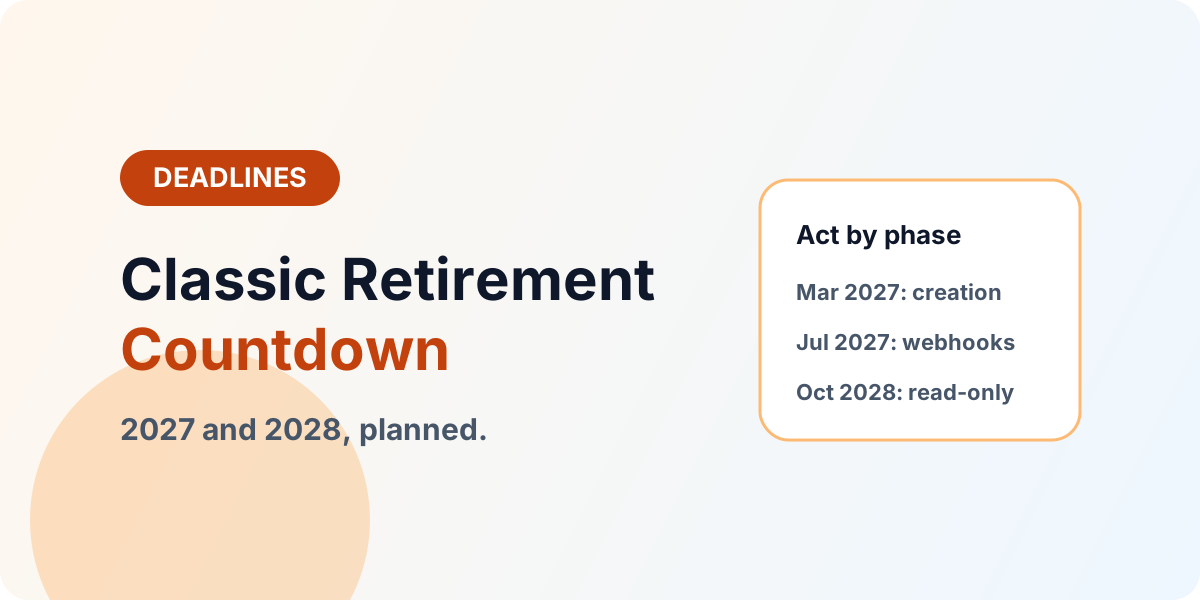
Direct answer: Three dates drive the plan — March 1, 2027 (no new classic pages in new tenants), July 1, 2027 (remote event receivers retire — move to webhooks), October 1, 2028 (classic user-created pages read-only in existing tenants). Inventory now, migrate content on schedule, modernize customizations per item.
Freshness note (October 2026): Dates reflect Microsoft announcements through mid-2026 and can shift. Re-verify against the Microsoft 365 roadmap before freezing program dates. Depth: Classic Experiences Modernization Roadmap.
The three dates that matter
March 2027 stops creation in new tenants — greenfield stays modern from birth. July 2027 ends remote event receivers — integration code must live on webhooks by then. October 2028 freezes existing classic pages as read-only — content must already live in modern pages or be consciously archived. Put all three on one program timeline; teams that track only October discover the July integration cliff too late.
Actions per audience
Site owners: inventory classic pages (wiki, Web Part, blog, publishing, custom ASPX), decide migrate, archive, or delete per page, and rebuild survivors as modern pages. Developers: enumerate Script Editor and Content Editor usage, JSLink, custom master pages, and Designer workflows; route each to retire, replace with native or Power Platform, or rebuild in SPFx (Script Editor to SPFx). Integration owners: list every remote event receiver, rebuild on webhooks with replay and failure handling, and decommission the old endpoints. Admins: track custom-scripting settings per site and align them with the tenant's modernization posture.
Sequence it like a migration
Run the countdown as a migration program: assessment (assessment guide), waves by site collection with pilots, validation per wave (validation guide), and the modernization backlog (classic-to-modern strategy) as the second track sharing the same gates.
Quarter-by-quarter plan from here
Q4 2026: complete the classic inventory and freeze new classic investment. Q1 2027: migrate or archive priority pages and start the event-receiver-to-webhook rebuilds. Q2 2027: cut over integrations before the July receiver retirement and run the first read-only drill with site owners. Q3 2027–Q2 2028: work the backlog wave by wave with validation. Q3 2028: final delta, freeze, and cutover — no heroics in September 2028.
Planning modernization before the deadlines
If classic inventory, webhooks, or SPFx rebuild scope needs sizing: Book a Modernization Consultation.
Continue with Modernization Roadmap, Classic to Modern, and Explore SPFx.
Tagged
Governance · Architecture · Security
Frequently asked questions
When do classic SharePoint pages become read-only?
For new tenants from March 1, 2027 no new classic pages; for existing tenants, classic user-created pages become read-only beginning October 1, 2028.
When must remote event receivers move?
Remote event receivers retire July 1, 2027 — move to SharePoint webhooks well before that date.
Are list views and forms affected?
List and library views, list forms, and similar experiences are currently out of scope — but custom scripts inside them still face custom-scripting changes.
What replaces classic customizations?
Modern pages and web parts first, Power Apps and Power Automate for forms and workflows, SPFx for justified custom development — decided per item, not by blanket rebuild.
Where should we start now?
Inventory classic pages, scripting usage, and event receivers this quarter; the countdown plan below sequences the rest by audience.
Sources
- Microsoft Learn: Introduction, Microsoft
- Microsoft Learn: Sharepoint Framework Overview, Microsoft
Have a Microsoft 365 topic idea?
Share article suggestions, community session ideas, corrections, or real-world scenarios for future nxtM365 learning notes.
Keep learning Microsoft 365
Explore more practical guides for SharePoint, Power Platform, Copilot Studio, migration, automation, governance, and security.
Continue learning
Related tutorials
Next action