Copilot Studio Deployment Checklist | Day 85
Use a practical Copilot Studio deployment checklist with release evidence, target configuration, knowledge and connection checks, security tests, publication, and production acceptance.
- Published
- Reading time
- 11 min read
Quick answer
Use a Copilot Studio deployment checklist to verify the exact release, configuration, knowledge, dependencies, connections, authentication, permissions, target values, testing, publication, channels, and operational ownership. Complete target-specific setup after deployment, then validate fresh production-channel sessions and real business outcomes. A successful import is one checkpoint; production acceptance requires verified user journeys and support readiness.
Week 13 · Day 85 of 365 in 365 Days of Copilot Studio — view the full series
Before you start
Is this guide for you?
- Best entry point
- 365 Days of Copilot Studio
- Time investment
- 11 min read
- Prerequisite knowledge
- Day 84 environment-stage responsibilities and familiarity with the team’s supported solution deployment process.
What you’ll learn
- Tie checklist results to the exact candidate, target, configuration, and evidence.
- Review included dependencies and settings that require separate target setup.
- Validate knowledge, access, connections, and actual business outcomes with representative accounts.
- Treat deployment, publication, and live-channel acceptance as distinct checkpoints.
- Assign owners for monitoring, capacity, support, recovery, and transaction reconciliation.
Before you start
- Prerequisite knowledge
- Day 84 environment-stage responsibilities and familiarity with the team’s supported solution deployment process.
On this page (15 sections)
Day 85 of 365 Days of Copilot Studio turns a Copilot Studio deployment checklist into a practical release process: confirm the candidate, prepare the target, validate the business journey, and hand over a service that someone can support.
In Day 84: Dev vs Test vs Production, we defined the responsibilities of each stage. Today, we use those boundaries to decide whether a particular release is ready to move forward.
Quick answer: check the agent configuration, knowledge, dependencies, connections, authentication, permissions, target values, tests, publication, channels, and operational ownership. Record evidence for the exact release. Complete the checklist only after representative users can perform the intended tasks through the production channel.
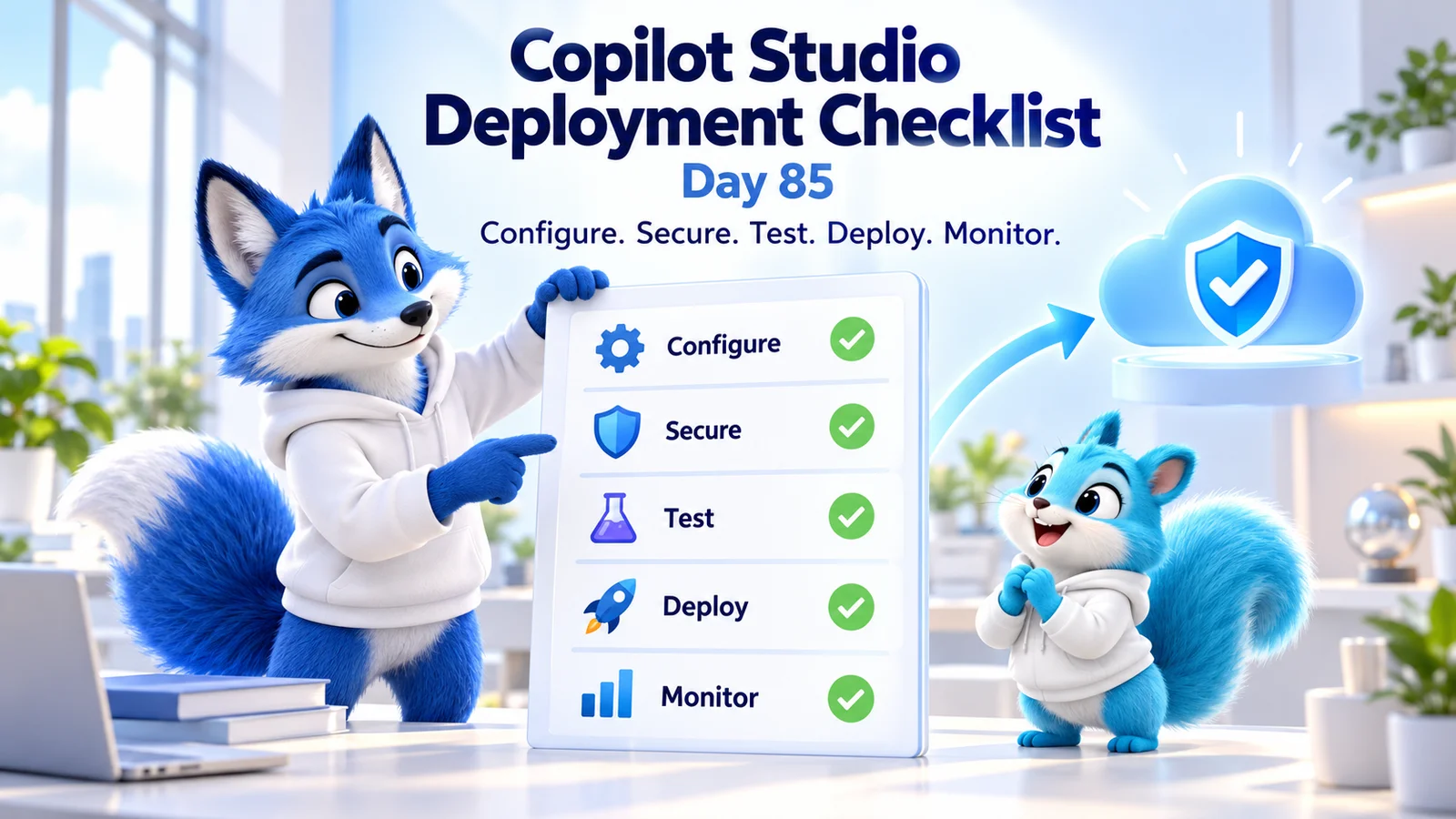
This guide expands the Day 85 PDF with a release table, target setup checks, a worked example, a reusable acceptance record, and troubleshooting. The hero and examples are conceptual teaching material. Microsoft references were checked on 17 October 2026; the cited solution, publishing, and variable guidance applies to the standard-harness experience where specified.
1. Copilot Studio Deployment Checklist at a Glance
| Stage | Check | Evidence to retain | Suggested owner |
|---|---|---|---|
| Prepare | Candidate, scope, dependencies, and target identifiers. | Versioned release record and component review. | Release owner. |
| Configure | Instructions, knowledge, tools, and target values. | Approved configuration and scenario results. | Maker and integration owners. |
| Secure | Authentication, permissions, audience, and policies. | Allowed and denied user tests. | Identity and resource owners. |
| Test | Core tasks, failures, regressions, and channel behavior. | Accepted results for the candidate. | Test and business reviewers. |
| Deploy | Approved artifact, target setup, and publication. | Deployment outcome and configuration verification. | Authorized deployer. |
| Verify | Fresh production sessions and downstream results. | Controlled channel smoke tests. | Business and release owners. |
| Operate | Monitoring, capacity, support, and recovery. | Handover and response procedure. | Operations owner. |
A checked box should refer to an observed result or an explicitly accepted exception. Assign an owner and review date to anything deferred. Avoid treating an empty checklist template as proof that validation happened.
2. Identify the Exact Release and Target
Record what is changing, why it is changing, who requested it, and which agent and environments are involved. Use actual identifiers alongside readable names so two similar agents cannot be confused during deployment.
Keep the source revision, solution version, artifact identifier, configuration revision, and acceptance evidence together. If the candidate changes after approval, decide which tests must be repeated and obtain acceptance for the replacement.
Microsoft's ALM guidance provides the release framework. Retain development as the authoring source and use the approved promotion path for downstream environments.
Stop condition: the team cannot establish which artifact was tested or which target will receive it. Resolve that uncertainty before proceeding. A familiar solution name is insufficient evidence when multiple versions exist.
3. Validate Agent Configuration and Conversation Behavior
Review the instructions, topics, triggers, tool descriptions, required inputs, and fallback behavior affected by the release. Confirm that the agent's stated capabilities match the operations actually included and permitted.
Check realistic requests, ambiguous inputs, incomplete information, and unsupported tasks. The agent should clarify missing details or explain its limits instead of inventing a capability. Evaluate the selected action and resulting behavior as well as the wording of the response.
Remove or resolve known authoring errors through the supported authoring experience. Review the change's impact on existing journeys; adding a tool with an overlapping description can alter which operation the agent selects.
Evidence: a reviewer can trace each changed requirement to a conversation case and its expected outcome. For generated answers, define factual and behavioral criteria rather than requiring identical wording in every valid response.
4. Verify Knowledge Sources and User Access
Confirm that the intended source exists, is ready for use, contains current information, and can be accessed under the integration's supported identity model. A reachable document can still be outdated or irrelevant to the question.
Use the knowledge testing guidance to investigate readiness and retrieval problems. Ask representative questions about normal rules, exceptions, and missing information, then inspect the supporting evidence where available.
Repeat important questions with ordinary authorized users and accounts that should not access protected content. Confirm that production references point to the approved sources rather than a development library or sample document collection.
Evidence: current, supported answers for the permitted audience and no unauthorized disclosure in denied-access cases. Assign a content owner who will review the sources after launch.
5. Review Solution Contents and Dependencies
Package the supported agent components and required dependencies through the approved solution process. Review newly added flows, connectors, configuration, and linked resources before export.
The export/import documentation explains required objects and deployment considerations. Follow the supported ordering where custom connectors and connection references are involved, and inspect import logs when a target deployment fails.
Confirm what needs separate target setup. Channel configuration, manual authentication, sharing, web-channel security, and telemetry settings need deliberate review; do not infer their correctness from a successful solution import.
Evidence: the candidate's component inventory and target setup record account for every dependency needed by the supported journeys. Keep the approved deployment artifact available for traceability and recovery planning.
6. Check Connections and Real Tool Outcomes
For each integration, record the destination, effective identity, permissions, required inputs, expected output, and business side effects. A connection can be active and still point to the wrong system.
Use Microsoft's connection guidance to review the selected connections and their state. Confirm target bindings and the approved authentication model before exercising a write operation.
Test the actual outcome in a controlled destination: a ticket is created with the right fields, an approval reaches the intended route, or a record changes exactly as permitted. A success-looking chat message is insufficient if the tool returned a validation error.
Evidence: sanitized execution details and the verified downstream result. Include a rejected request and an unavailable-dependency scenario, and review repeated-submission behavior for operations that can create duplicates.
7. Verify Authentication, Permissions, and Data Policies
Authentication identifies the user; authorization determines what that identity can access or do. Review both in the target channel, along with agent sharing and the identities used by downstream integrations.
Follow the authentication configuration guidance for the applicable channel. Publish changes as required and test a fresh session, including the supported behavior when sign-in is canceled or a connection needs attention.
Review data policies with the administrator against the actual knowledge, connectors, and channel requirements. Resolve policy violations through the approved design rather than weakening access simply to complete a demonstration.
Evidence: an ordinary authorized account succeeds, an unrelated account is denied where expected, and the target's policy and audience configuration match the approved release scope.
8. Supply the Correct Environment-Specific Values
Review endpoint references, source locations, feature settings, and other values that differ by stage. Confirm actual resolved destinations and remove accidental development defaults from the production configuration.
Environment variables and connection references serve different purposes: configurable values and associations with authenticated connections. Neither automatically establishes the destination's correctness or its access boundary.
For the documented standard-harness behavior, non-secret environment-variable values are included at publication time, so affected agents must be republished after those values change. Secret-type variables have a runtime retrieval exception. See the variables reference.
Evidence: the target configuration revision is approved, secrets remain in appropriate credential stores, and a fresh supported journey uses the expected values after publication.
9. Run Regression and Failure Tests Before Approval
Use the testing strategy guidance to select the cases appropriate to the agent's business impact. Cover core tasks, knowledge, authorization, unusual input, failures, and relevant performance or user-experience requirements.
Test the actual channel rather than relying exclusively on the maker's test pane. Use representative accounts and suitable test data. Protect live systems from test writes by checking both the endpoint and the connection's permissions.
Exercise a dependency failure and confirm an accurate message and safe next step. If a write times out, treat the outcome as uncertain until a supported status check or reconciliation establishes what happened; indiscriminate retries can repeat a completed operation.
Evidence: accepted results for the exact candidate, defect dispositions, and named owners for unresolved exceptions. A failed critical journey should block promotion until repaired or explicitly handled under the organization's acceptance process.
10. Deploy, Complete Target Setup, and Publish
Deploy the approved candidate using the organization's supported process. Record the target and outcome, then complete the reviewed target-specific settings and connection mappings.
Publishing is a separate checkpoint from transporting components. Microsoft's publishing concepts explain how the published version reaches connected channels. Review the channel impact before publishing a change.
If an import or publication fails, inspect the actual error and relevant logs. Repair the identified cause through the controlled process. Avoid accumulating unrecorded production edits while trying unrelated fixes.
Evidence: deployment and publication outcomes refer to the intended agent and environment, and the target setup record is complete. This establishes readiness for live validation rather than final business acceptance.
11. Verify the Production User Experience
Open fresh sessions through the intended production channel. Confirm user access, a representative knowledge question, one controlled business operation where appropriate, and the expected failure or escalation behavior.
Check the destination result and source evidence, not just the visible response. Verify that user-facing links lead to accessible approved resources and that the audience has the intended experience.
For example, a service-desk agent may greet an employee correctly while creating a ticket in a test queue. The release is not accepted until the production operation reaches the approved live destination with the required fields and permissions.
Evidence: the release owner and business reviewer accept the live journeys, including any documented limitations. Delay audience expansion if the actual production behavior differs from the approved result.
12. Hand Over Monitoring, Support, and Recovery
Use the operations guidance to establish review of usage, failed journeys, tool outcomes, relevant telemetry, and capacity. Assign someone to investigate failures and communicate with the business owner.
Confirm who can contain an incident, which evidence support can access, and what recovery approach has been rehearsed. Protect transcripts and diagnostic records according to the data they contain.
Recovering agent behavior does not undo completed business transactions. Keep a separate reconciliation process for tickets, messages, approvals, or records created during an incident.
Evidence: support knows the live release, owners, escalation route, and containment procedure. A controlled failure signal reaches the approved operational response process.
Worked Example: Releasing a Leave-Request Agent
Consider an illustrative employee agent that explains leave rules and submits requests to an HR service. The release changes the required request fields and adds a clarification before submission.
Before export, the maker reviews the changed topic, tool inputs, flow, and configuration dependencies. The content owner verifies the current leave policy. Testers use sample employees and a nonproduction HR destination to check a valid request, a missing date, an unauthorized account, and a service rejection.
During target setup, the deployer reviews the live knowledge location and authenticated connection. A test result showing the correct conversation is insufficient if the request still points to the test HR service. The target mapping and publication state must be verified before the controlled production check.
The business reviewer then confirms that a permitted request reaches the intended system once, with the correct fields, and that the acknowledgement matches the recorded outcome. Support receives the release record and escalation route. This joins deployment evidence to a business result the team can actually accept.
Reusable Deployment Acceptance Record
Illustrative release checklist record
Agent and purpose: approved workload and supported journeys
Candidate: solution version, source revision, artifact identifier
Target: environment ID, agent ID, intended channel
Configuration: approved values and connection mappings
Validation: knowledge, access, actions, failures, regressions
Approval: business reviewer, release owner, accepted exceptions
Deployment: outcome, target setup, publication result
Live checks: fresh sessions and verified destination outcomes
Operations: monitoring owner, capacity owner, support contact
Recovery: containment, supported correction, transaction review
Acceptance: owner, timestamp, and evidence references
Store references to approved secret locations rather than credential values. Keep private conversation content out of general release notes. A reviewer should be able to establish what happened without gaining access to unrelated sensitive material.
Common Deployment Problems and First Checks
| Problem | Check first | Retest |
|---|---|---|
| Import fails | Import log, included objects, dependencies, and supported ordering. | The corrected candidate imports into the intended target. |
| Old behavior remains | Target identity, published version, and required republication. | A fresh channel session uses the approved change. |
| Maker succeeds, user fails | Authentication, sharing, effective identity, and resource permissions. | An ordinary authorized user completes the journey. |
| Wrong system receives an action | Resolved target values and connection bindings. | A controlled operation reaches the approved destination. |
| Agent says success but nothing changed | Execution result, output interpretation, and destination evidence. | The business result and acknowledgement agree. |
| No useful failure signal | Telemetry configuration, access, and operational ownership. | A controlled failure reaches the response process. |
Day 85 practice: choose your next agent release and fill in the acceptance record before deployment. Identify missing evidence, assign owners, and carry the same record through test, production validation, and support handover.
Revisit Day 84: Dev vs Test vs Production, review seven production mistakes, or continue through the 365 Days of Copilot Studio series.
Tagged
ALM · Solutions · Security · Governance · Integrations
Frequently asked questions
What should a Copilot Studio deployment checklist include?
Include the release candidate, target identifiers, agent configuration, knowledge, dependencies, connections, authentication, permissions, environment-specific values, test results, publication, channels, monitoring, support, and recovery. Attach evidence and an owner to each relevant check.
Is a successful solution import enough to complete deployment?
No. Complete target-specific setup, review connections and values, publish the imported agent, and validate representative user journeys through the intended channel. Accept the release only when the observed business outcomes match the approved expectations.
What is the difference between deploying and publishing an agent?
Deploying moves the supported components into a target environment through the approved process. Publishing makes the current agent version available through its connected channels. Review target configuration and channel impact, then verify fresh user sessions.
Which settings should I review after importing an agent?
Review dependencies, connection mappings, environment values, authentication, sharing, channels, web-channel security, and telemetry where applicable. Check the official documentation for the components and agent experience involved rather than assuming every property transfers.
How do I check production connections before launch?
Verify the resolved service, connection identity, permissions, required inputs, and expected side effects. Run a controlled scenario and confirm the destination result. An active connection or a friendly display name does not establish that the selected system is correct.
Do environment-variable changes require republishing?
For the documented standard-harness behavior, non-secret values are captured when the agent is published, so affected agents must be republished after a value change. Secret-type variables have a runtime retrieval exception. Verify the behavior applicable to your agent.
What tests should block a Copilot Studio production release?
Define critical journeys with the business owner. Unresolved failures in required access, knowledge, action outcomes, authentication, or recovery should stop promotion until repaired or explicitly handled through the approved acceptance process. Keep the decision traceable to the candidate.
Why should I test with an ordinary user account?
Maker accounts can have broader access or cached connections that hide user failures. Test representative authorized and denied accounts through the actual channel to check the supported sign-in path, resource permissions, and tool outcomes.
What should I verify immediately after publishing?
Use fresh production-channel sessions to check audience access, representative answers, controlled tool operations, destination records, and supported failure or escalation behavior. Confirm monitoring and support ownership before expanding the audience.
Does recovering an agent undo transactions created during an incident?
Do not assume it does. Agent recovery and business-transaction reconciliation are separate tasks. Identify affected records or messages and follow the destination service owner’s approved correction process.
Sources
- Establish an ALM strategy, Microsoft, accessed 2026-10-17
- Export and import agents using solutions, Microsoft, accessed 2026-10-17
- Publish and deploy your agent, Microsoft, accessed 2026-10-17
- Test knowledge sources, Microsoft, accessed 2026-10-17
- Configure and manage connections, Microsoft, accessed 2026-10-17
- Configure user authentication, Microsoft, accessed 2026-10-17
- Configure data policies, Microsoft, accessed 2026-10-17
- Variables overview, Microsoft, accessed 2026-10-17
- Design a testing strategy, Microsoft, accessed 2026-10-17
- Monitor operations, compliance, and capacity, Microsoft, accessed 2026-10-17
Have a Microsoft 365 topic idea?
Share article suggestions, community session ideas, corrections, or real-world scenarios for future nxtM365 learning notes.
Keep learning Microsoft 365
Explore more practical guides for SharePoint, Power Platform, Copilot Studio, migration, automation, governance, and security.
Continue learning
Related tutorials
Related questions
Related comparisons
Next action