Power Automate: 7 Hidden Production Failures & Fixes
Diagnose seven hidden Power Automate cloud-flow failures with practical fixes, verified recovery steps, trigger-loop prevention, concurrency guidance, and a production checklist.
- Published
- Reading time
- 10 min read
Quick answer
Diagnose Power Automate production failures by checking connections, permissions, API throttling, error paths, trigger repetition, concurrent writes, and monitoring. Inspect the actual trigger or action evidence and destination state before replaying writes. Repair the cause, test recovery and representative load, and assign owners for unresolved business outcomes.
Before you start
Is this guide for you?
- Best entry point
- Power Automate
- Time investment
- 10 min read
- Prerequisite knowledge
- Familiarity with cloud-flow triggers and actions, authorized run-history access, and a suitable test environment and destination.
What you’ll learn
- Separate missing triggers, failed executions, and completed runs with wrong business results.
- Verify the connection identity and its permission for the actual destination operation.
- Tune request patterns, bounded retries, and concurrency against real service limits.
- Prevent repeated events and overlapping writes from creating duplicate or lost updates.
- Monitor business outcomes and missed expected work as well as run status.
Before you start
- Prerequisite knowledge
- Familiarity with cloud-flow triggers and actions, authorized run-history access, and a suitable test environment and destination.
On this page (11 sections)
Power Automate production failures can stay hidden until a connection expires, traffic increases, a permission changes, or two runs update the same record. A flow that passed a small test still needs a design that handles real identities, service limits, repeated events, and uncertain outcomes.
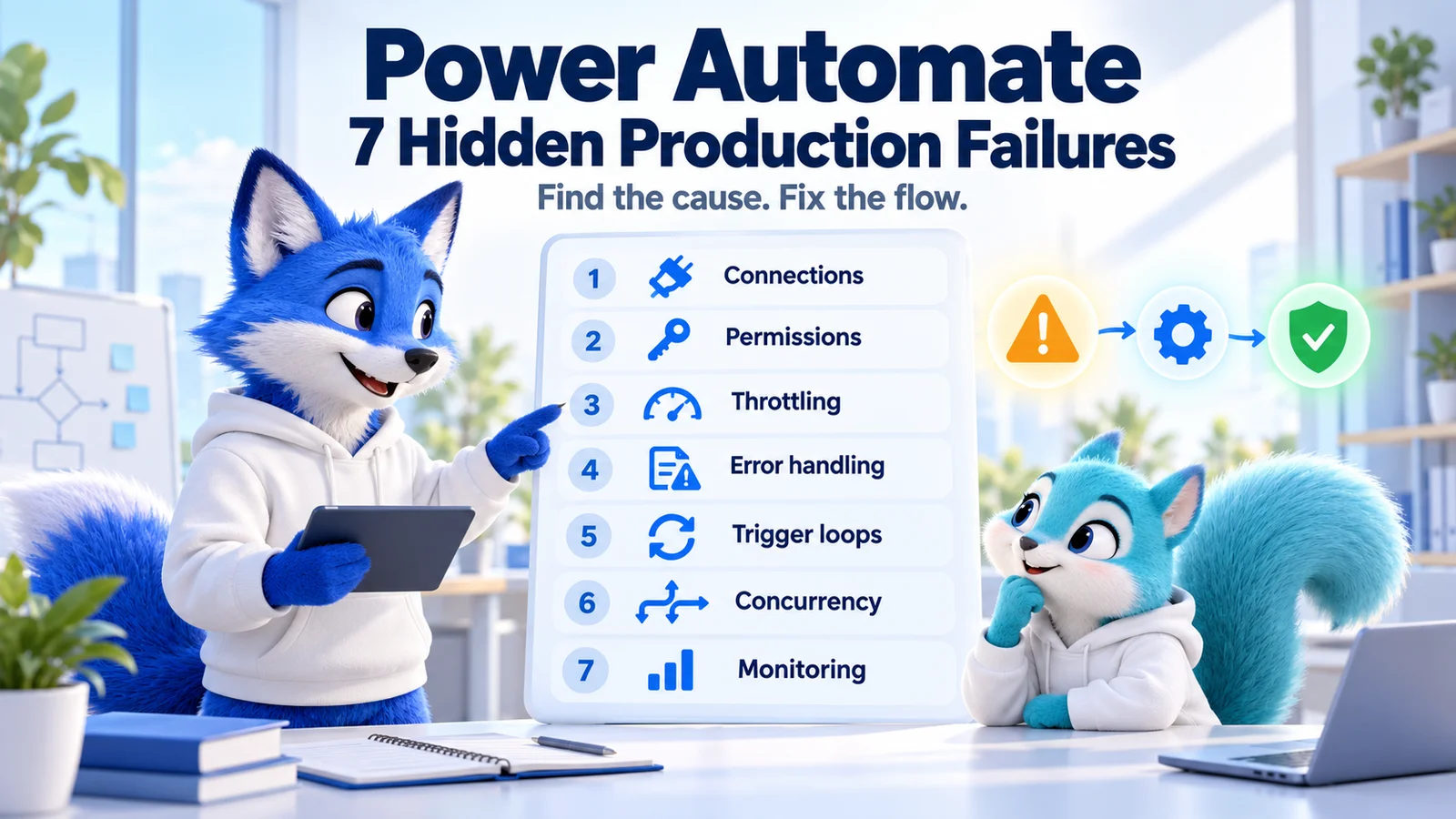
This guide expands the source PDF into seven practical failure categories: broken connections, missing permissions, API throttling, missing error handling, trigger loops, concurrency conflicts, and inadequate monitoring. These are diagnostic categories rather than a statistical ranking of incidents.
Quick answer: identify the failed trigger or action, inspect its connection, identity, inputs, and response, and confirm what happened in the destination system. Repair the cause, test the failure and recovery paths, and reconcile affected business records before replaying a write operation.
The guide focuses on cloud flows. The hero and scenarios are conceptual illustrations; no example describes a measured customer incident. Microsoft technical references were checked on 17 October 2026. Connector behavior, feature availability, and applicable limits depend on the actual service, operation, environment, and licensing.
Seven Hidden Power Automate Failures: Quick Diagnosis
| Failure | Typical symptom | Check first | Proof of repair |
|---|---|---|---|
| Broken connection | A previously working trigger or action stops authenticating. | Connection status, selected binding, and identity changes. | The same permitted operation works through the intended connection. |
| Missing permissions | Access is denied for a resource or operation. | Effective identity and destination authorization. | Allowed operations pass and denied operations remain blocked. |
| API throttling | 429 responses, retries, or rising processing time. | Response details, request pattern, and connector limits. | A representative workload completes within the approved limits. |
| No error handling | Partial work is left unresolved or a failure looks successful. | Scope outcomes, Run after paths, and final business state. | Failure reporting and recovery reflect what actually happened. |
| Trigger loop | The same item generates repeated runs after a flow update. | Event sequence, changed fields, and trigger conditions. | A valid change is processed without self-generated repetition. |
| Concurrency conflict | Updates overwrite each other or records duplicate. | Overlapping runs and shared read/write operations. | Burst tests preserve the intended business state. |
| No useful monitoring | Users report faults before support notices them. | Expected activity, run outcomes, alerts, and ownership. | A controlled failure reaches the response process. |
Start with Microsoft's cloud-flow troubleshooting guidance and the actual run evidence. Distinguish a flow that never triggered from one that ran and failed, and from one that completed with the wrong business result.
1. Broken Connections Stop Previously Healthy Automation
Connections establish access to services such as SharePoint, Outlook, SQL, and external APIs. A change to credentials, account state, consent, or organizational access controls can interrupt that relationship even when the flow definition is unchanged.
Illustrative symptom: a daily document-processing flow stops after the account behind its connection changes. The team edits the action repeatedly, but the problem is the authenticated connection rather than the document logic.
Review the connection troubleshooting guidance. Confirm the environment, flow, selected connection or connection-reference binding, and effective identity. Repair or replace the connection through the supported process with an authorized account.
Keep ownership and access responsibilities documented. Adding a co-owner does not by itself replace credentials used by existing connections. Review dependencies before staff changes or account retirement affects a critical process.
Verify: trigger a controlled scenario and inspect both execution and the destination outcome. Confirm that the repaired binding reaches the approved system. Do not disable organizational authentication controls as a general workaround.
2. Missing Permissions Block the Actual Operation
A connection can authenticate successfully while lacking access to a specific library, mailbox, row, table, or API operation. Access to the service is different from authorization to perform the requested task.
Identify which identity the connector uses for the failing action. Depending on the connector and flow type, it may differ from the person who started the flow. Review the destination's permission model and the exact resource identifier.
Illustrative symptom: reading a SharePoint list succeeds but updating a protected item fails. The relevant evidence is the action response and the identity's write authorization, not merely whether the maker can open the list in a browser.
Apply the approved minimum permissions and check the current error reference against the actual service response. Status codes are useful clues, but the returned error and resource context establish the specific issue.
Verify: the permitted action succeeds and an operation outside the approved scope remains denied. Record the resource owner and access decision so the next repair does not silently broaden the flow's authority.
3. API Throttling Appears Under Real Production Load
A small test may make a few requests while a live event burst produces hundreds of overlapping operations. Connector and destination limits can then slow or reject requests, often with a 429 response.
Inspect the affected action's response, retries, duration, and request pattern. Review platform-limit guidance and the specific connector documentation. Platform allocations and per-service throttling are related constraints, not interchangeable numbers.
Reduce unnecessary reads and writes, filter data at the source where supported, and use appropriate batching or work queues when the destination supports them. Tune concurrency and retry behavior against a representative workload rather than increasing parallelism until failures appear.
Use bounded backoff for supported transient faults and honor service retry guidance where the action supports it. A permanent invalid request or missing permission needs a repair, not increasingly frequent attempts.
Verify: compare completion, backlog, request volume, and destination results under a realistic test burst. A retry that eventually succeeds can still leave the process too slow for its business requirement.
4. Missing Error Handling Hides Partial Completion
A flow can create a record successfully and then fail while sending its acknowledgement. Replaying the whole run without checking the destination can create another record. Error handling must distinguish an unsuccessful request from an unconfirmed or partially completed business operation.
Microsoft's error-handling guidance describes scopes and Run after settings. Group the business work, configure the recovery path for relevant failed or timed-out outcomes, and test the actual branch behavior.
Illustrative flow structure, not an importable definition
Business scope: validate input and attempt the intended operation
Recovery scope: inspect failure or timeout and establish the known outcome
Notification: provide safe context to the responsible support team
Final outcome: record success, recovered outcome, or unresolved failure
Review final status deliberately. Sending a notification does not mean the business task succeeded. Where the design requires an unresolved failure to remain visible, use an appropriate final outcome, including a Failed termination when applicable.
Verify: simulate a supported dependency failure and inspect recovery, notification, final status, and destination records. Keep sensitive payloads and credentials out of broad alerts.
5. Trigger Loops Repeatedly Process the Same Item
A flow triggered by an item modification may update that same item, creating another event. A second flow can also participate in the cycle, making the repetition less obvious from one run alone.
Trace item identifiers, event times, changed values, and writes across related flows. Distinguish a self-generated loop from repeated source events, connector retries, or duplicate processing; they may need different repairs.
Use supported trigger filters and conditions to admit only relevant work. Choose meaningful business transitions and make completion state explicit. A Condition action inside the flow still starts a run; a supported trigger condition filters before the business actions execute.
Illustrative design: process a request only in an eligible state, record its business-operation key, and avoid repeating the same update when the desired value is already present. A state flag alone is not an atomic lock against simultaneous runs.
Verify: one legitimate change produces the intended outcome, the flow's own update does not cause endless processing, and a later legitimate business change is still handled. Test the exact connector payload and field names rather than copying a generic expression.
6. Concurrency Conflicts Corrupt Shared State
Parallelism helps when work is independent. It becomes risky when two executions read the same value, calculate separate updates, and write them back without a coordinated destination-side rule.
Illustrative race: two runs read a counter at 10 and each writes 11. Both actions can succeed while the expected combined result of 12 is lost. A similar race can occur when two runs both check that a record is absent and then create it.
Separate trigger concurrency, parallel branches, and Apply to each concurrency. Microsoft's parallel-execution guidance explains these design choices. Preserve parallel processing for independent items and use supported transactional, uniqueness, or conditional-update mechanisms for shared resources.
Serializing one flow does not coordinate every writer to the same database or list. A separate flow, application, or user can still update the resource. Put the strongest consistency control at the destination when the business requires it.
Review the current concurrency and waiting-run limits before changing settings. Trigger concurrency changes have removal implications, and a bounded waiting queue can mean events are not all admitted. Setting parallelism to one is not a universal guarantee of ordered, complete delivery.
Verify: test overlapping events and independent writers, check duplicates and final values, and inspect backlog behavior. Confirm both data correctness and acceptable processing time.
7. Missing Monitoring Lets Failures Accumulate
A dashboard showing successful runs may miss absent expected events, skipped business work, or a handled error that left the business task unresolved. Monitor the expected outcome as well as the execution status.
Use flow-monitoring guidance to choose available run history, analytics, automation monitoring, or telemetry capabilities. Confirm prerequisites and reporting latency for your environment instead of assuming every view is real time.
Assign an operational owner and an escalation route. Track meaningful signals such as failed actions, excessive retries, abnormal durations, missed expected work, and unresolved business records. Define the response the team should take when a signal arrives.
Keep diagnostic context useful and limited: environment, flow, run, affected item, failing action, sanitized error, and known outcome. Protect run inputs and outputs according to the information they contain.
Verify: a controlled failure reaches the responsible team, and a missing expected run can be distinguished from an idle period. Retest the alert path after changes to connections or notification destinations.
Worked Example: An Order Synchronization Flow
Consider an illustrative flow that receives approved orders and creates a record in a downstream service. During a burst, the service accepts an order but the response times out. Another source event arrives for the same order while the first run is waiting.
Checking only the red action encourages a full rerun, but the destination may already contain the order. Before replaying, establish the actual record state using an approved business key and the destination's supported lookup or reconciliation process.
A stronger design uses a stable operation identifier, destination-enforced uniqueness where supported, validated transitions, bounded transient retries, and a recovery path for unconfirmed outcomes. It also distinguishes failed creation from failed acknowledgement.
Verify a normal order, a repeated event, overlapping submissions, an unavailable service, and recovery after a timeout. The acceptance result is one correct downstream order with an explainable processing state, not simply a flow run with green actions.
A Safe Investigation and Recovery Sequence
- Identify the environment, flow version, run or missing event, and affected business item.
- Inspect the trigger, first relevant failure, connection identity, inputs, and response.
- Contain unintended processing through the approved operational procedure.
- Check the destination for completed or partial operations before replaying writes.
- Repair the cause in a controlled test scenario and run relevant regression cases.
- Deploy the approved correction and reconcile the affected business records.
- Verify ordinary workload, burst behavior, and the monitoring response.
Turning a flow off prevents new runs from starting, but in-progress and pending runs continue according to Microsoft's documented behavior. Inspect outstanding work as part of containment; turning it off does not reverse completed writes.
Production Readiness Checklist
- Connection identities, ownership, and target bindings are documented.
- Required permissions are verified without unnecessary broad access.
- Request patterns and retry policies respect connector and service limits.
- Error paths preserve the known business outcome and a useful final status.
- Trigger logic avoids self-generated repetition and handles legitimate later changes.
- Shared-state updates and repeated events have a tested consistency strategy.
- Monitoring, missed-work checks, support, and reconciliation have owners.
Practical next step: select one critical flow and trace a business item from trigger to destination. Run one permitted case, one dependency failure, and one repeated-event case in a suitable test system. Record the outcome and the next reliability gap to repair.
Explore related automation topics in the Power Automate hub. For agents that call flows, see seven Copilot Studio production mistakes for the conversation and tool boundaries around the automation.
Tagged
Cloud Flows · Triggers · Connectors · Security · Performance
Frequently asked questions
Why does my Power Automate flow work in testing but fail in production?
Production can introduce different connection identities, permissions, request volumes, repeated events, and overlapping writes. Inspect the actual trigger or action response and verify the destination outcome before repairing the specific cause and replaying affected work.
What are the seven hidden Power Automate production failures?
This guide covers broken connections, missing permissions, API throttling, missing error handling, trigger loops, concurrency conflicts, and inadequate monitoring. Use them as practical diagnostic categories rather than a statistical ranking.
How do I fix a broken Power Automate connection?
Confirm the flow environment, selected connection or connection-reference binding, effective identity, and reported error. Repair or replace the connection using the supported process with an authorized account, then verify a controlled operation against the intended destination.
Why does an authenticated connection still return access denied?
Authentication establishes identity, while authorization controls access to a specific resource and operation. Verify the identity actually used by the action and its approved permissions on the target rather than relying on the maker’s browser access.
How should I handle HTTP 429 throttling in a flow?
Inspect the service response and applicable connector limits, reduce unnecessary requests, and tune concurrency and supported retry behavior. Use bounded backoff for transient failures and service retry guidance where supported. Measure backlog and completion under representative load.
How do I stop a Power Automate trigger loop?
Trace which writes create new trigger events and use supported filters or trigger conditions to admit relevant business transitions. Avoid repeating updates that are already complete, and test that legitimate later changes still run. A Condition action inside the flow does not prevent the run from starting.
Will setting trigger concurrency to one prevent every duplicate?
No. It can serialize admitted runs of that flow, but it does not coordinate other flows, users, or applications writing to the same resource. Review queue limits and use supported destination-side uniqueness, transaction, or conditional-update controls when required.
Is it safe to resubmit a failed flow run?
First inspect which operations completed and the destination state. A timeout or later notification failure can leave a successful write behind. Use supported duplicate prevention, status checks, or reconciliation before replaying an operation that changes business data.
Does turning a flow off stop its existing runs?
Microsoft documents that turning a cloud flow off prevents new runs from starting while in-progress and pending runs continue. Review outstanding processing as part of containment and handle completed business transactions separately.
What should I monitor for critical production flows?
Monitor failures, retries, abnormal duration, missing expected work, unresolved business outcomes, and relevant capacity signals. Assign an owner and escalation route, confirm reporting latency, and test that a controlled failure reaches the response process.
Sources
- Troubleshoot a cloud flow, Microsoft, accessed 2026-10-17
- Fix connection failures, Microsoft, accessed 2026-10-17
- Cloud flow error reference, Microsoft, accessed 2026-10-17
- Understand platform limits and throttling, Microsoft, accessed 2026-10-17
- Employ robust error handling, Microsoft, accessed 2026-10-17
- Optimize Power Automate triggers, Microsoft, accessed 2026-10-17
- Parallel execution and concurrency, Microsoft, accessed 2026-10-17
- Cloud flow limits and configuration, Microsoft, accessed 2026-10-17
- Monitor your flows, Microsoft, accessed 2026-10-17
Have a Microsoft 365 topic idea?
Share article suggestions, community session ideas, corrections, or real-world scenarios for future nxtM365 learning notes.
Keep learning Microsoft 365
Explore more practical guides for SharePoint, Power Platform, Copilot Studio, migration, automation, governance, and security.
Continue learning
Related tutorials
Related questions
Related comparisons
Next action